Linux .deb、macOS Apple 芯片与 Intel .dmg、Windows .msi 和 NSIS 安装包第一次放到下载页。每份都带驾驶舱和 Python。Windows / Linux 附带 Clearcote 内核(Chromium 150,BSD-3)。macOS 不捆内核:第一次打开窗口时,由你的电脑从 CloakHQ 官方渠道下载 CloakBrowser 并校验签名。
· 流程回放 · 0 token
回放流程。第二次不该再烧一轮 token。
跑通过的路径存成流程(recipe)以后,coh recipe run 是确定性回放,不调用模型,也不花 token。模型只负责写文案和判断不清的步骤。coh batch 可以对一组身份各跑一遍。
发帖和付款仍然停在等你确认。生成不等于发布。代理不通的身份会被跳过。
· 0.6.0
0.6.0: account sign-in, annual plans, and the Cohorta 155 kernel.
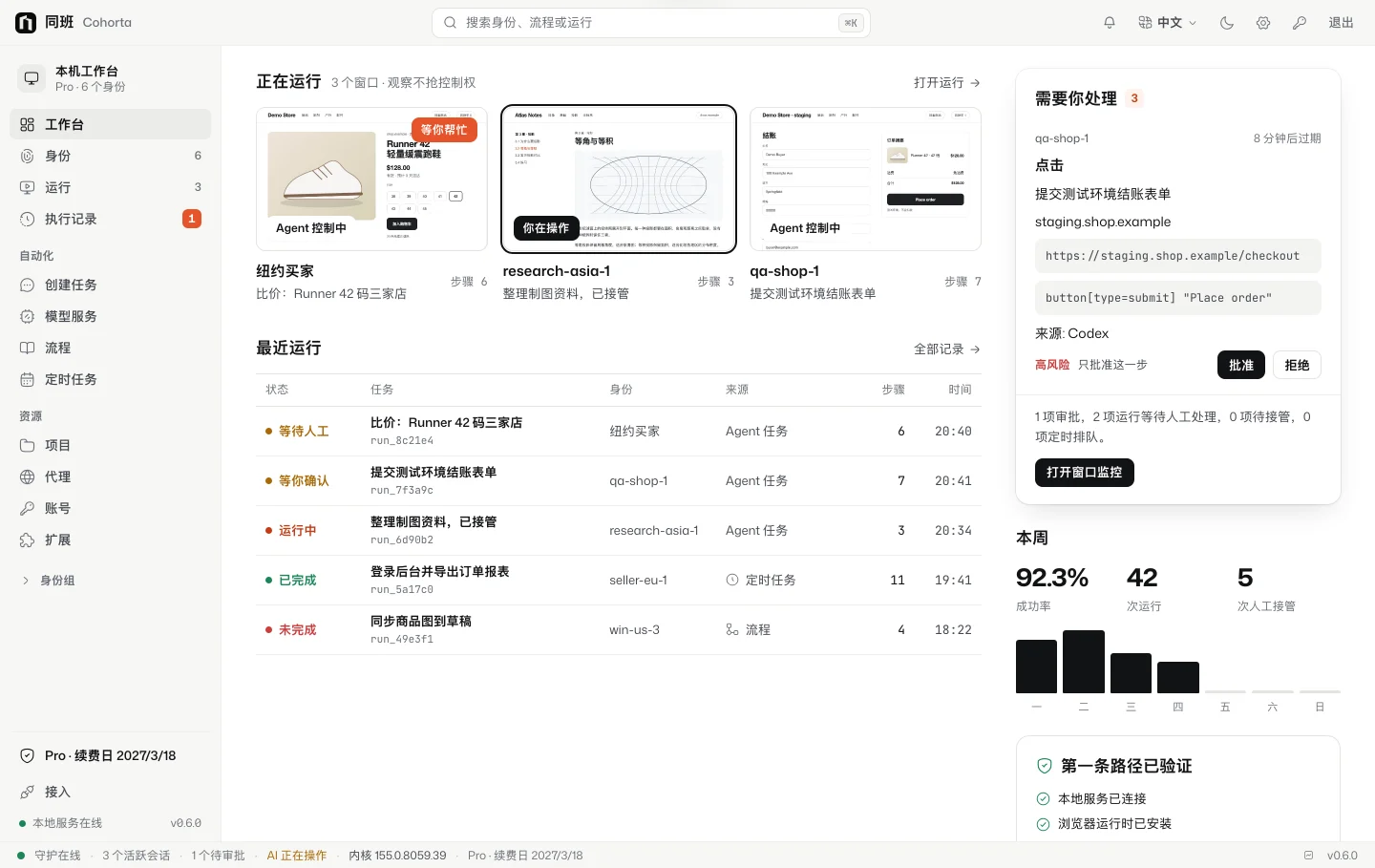
0.6.0 workbench
Accounts and device-code sign-in. The cockpit and coh login confirm this device in your browser. No more pasting keys. The grant refreshes online every 14 days, on up to 3 devices per account.
Plans. Hobby is free: 5 identities and 3 concurrent windows, no sign-in needed. Pro is $59/year: unlimited identities, 10 concurrent windows. Max is $149/year: unlimited identities, 30 concurrent windows. Extra identities are a one-time purchase on top of any plan. Waffo handles payment.
Metered by concurrent windows. Windows opened from the cockpit, coh, Claude Code and Codex share one count. When you hit a limit, the message names the limit.
Cohorta 155 kernel. Built on Chromium 155 for macOS (Apple silicon and Intel), Windows x64 and Linux x64. Install it from the cockpit after you sign in. Downloads use signed links and are checked before install.
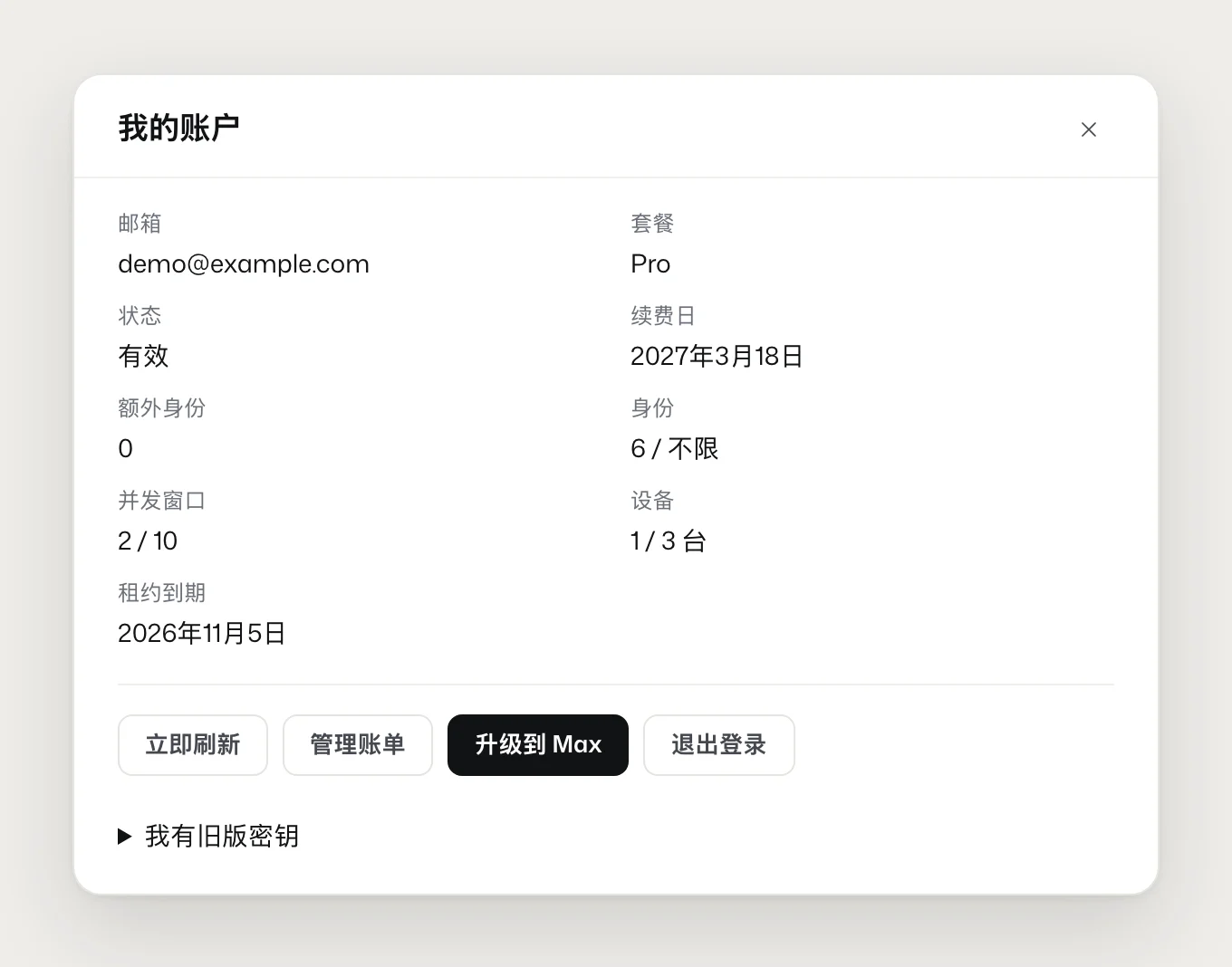
Account panel. The plan label at the bottom left of the cockpit opens it: renewal date, extra identities, and current usage.
Legacy keys.COH- / NOCT- keys can be claimed in your account after sign-in until 2027-01-31.
Account panel in the cockpit
Installers: macOS .dmg (Apple silicon, Intel), Windows .msi and .exe, Linux .deb and AppImage. The Windows and macOS installers are not code-signed yet. See the user guide for how to open them the first time.
Linux .deb, macOS Apple silicon and Intel .dmg, and Windows .msi plus NSIS installers appeared on the download page for the first time. Each includes the cockpit and Python. Windows and Linux include the Clearcote kernel (Chromium 150, BSD-3). macOS does not bundle a kernel: the first window downloads CloakBrowser from CloakHQ and checks its signature.
· recipe replay · 0 tokens
Replay the recipe. The second run should not burn another token.
Once a working path is saved as a recipe, coh recipe run replays it deterministically. It does not call a model and costs no tokens. The model only writes copy and handles steps that are unclear. coh batch runs it once per identity across a group.
Posts and payments still wait for your OK. Generating is not publishing. Identities with a dead proxy are skipped.